
Dragon Eggs come from boss drops and Season 1 rewards. Pumpkin, Kaiju, and Mecha Eggs have separate shop options, using Candy Corn or Robux.
Egg Sources and Purchase Options
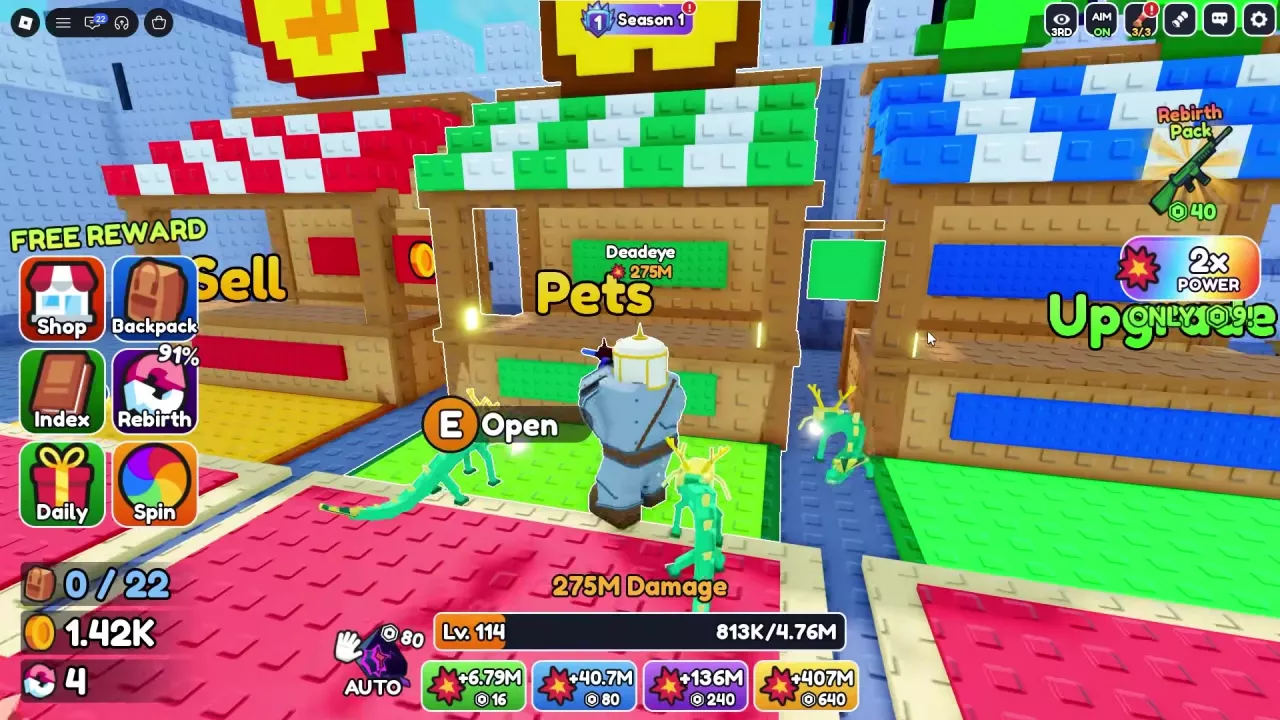
Find the Pets stall between Sell and Upgrade in the lobby. Approach it and press E Open to access the egg menu.
During Halloween, Pumpkin Egg also has an entrance through the Candy Shop. Approach that stall and press E at the Open prompt. See the Halloween shop and entrances for event locations.
-
Dragon Egg
- Acquisition
- Boss drops; Season 1 PHANTOM free Tier 4
- Season reward quantity
- 1 egg (Season 1 PHANTOM free Tier 4)
-
Pumpkin Egg
- Acquisition
- Pets shop; Halloween Candy Shop (Halloween event)
- Price
- 1500 Candy Corn (Pets shop purchase option during Halloween)
- Additional purchase option
- ×3 (Pets shop)
-
Kaiju Egg
- Acquisition
- Pets shop
- Price
- 49 Robux (Individual purchase option in the Pets menu)
- Additional purchase options
- ×3; ×10 (Pets shop)
-
Mecha Egg
- Acquisition
- Pets shop
- Price
- 49 Robux (Individual purchase option in the Pets menu)
- Additional purchase options
- ×3; ×10 (Pets shop)
Get Dragon Eggs
Boss drops
Enter the Dungeon and defeat bosses to find Dragon Eggs. The Abomination is one boss encounter that can award an egg, but a boss kill does not guarantee a drop. Check your Backpack when you receive a Dragon Egg reward notification.
Use the dungeon boss strategies for help clearing the fights.
Season 1 PHANTOM free reward
When Season 1 PHANTOM is available, its FREE Tier 4 reward gives 1 Dragon Egg.
- Complete and claim quests to earn Season XP toward Tier 4.
- Open Season 1 at the top of the screen.
- Find Tier 4 on the FREE track and claim the Dragon Egg once the reward is unlocked.
For XP progression and the other rewards, see the Season 1 PHANTOM guide.
Hatch an Egg from Backpack
Have a Dragon Egg in your Backpack, then follow the path that matches your interface.
If your Backpack has an Eggs tab
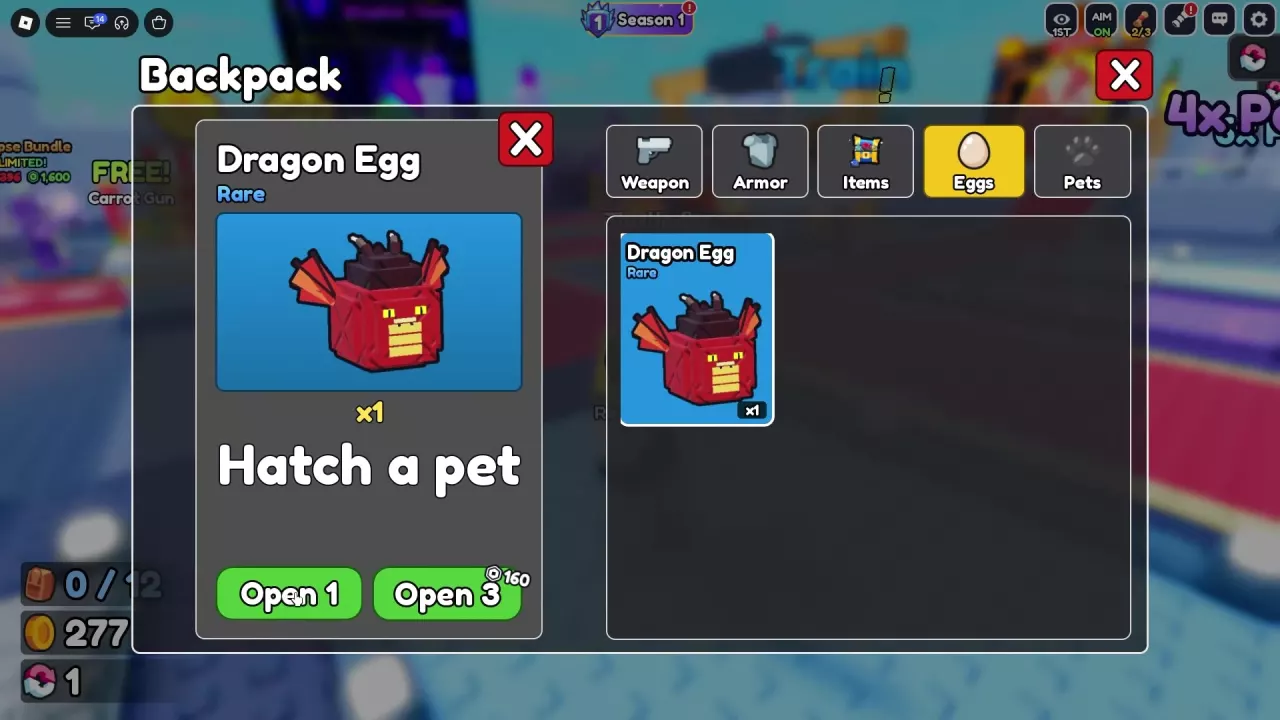
- Open Backpack → Eggs.
- Select Dragon Egg.
- Press Open 1 to hatch it.
If eggs are under Items
- Open Backpack → Items.
- Select Dragon Egg.
- Press HATCH!.
Each single hatch consumes 1 Dragon Egg and adds the resulting pet to Backpack → Pets. The red, winged cube in the animation is the egg; wait for the final pet result.
Check Pets, Odds and Multi-Egg Opening
Open Backpack → Pets after hatching. Select your new pet to inspect its bonus, and look for a green check mark to confirm whether it is equipped.
Possible Dragon Egg results include:
- Jade Serpent: +5% Luck per equipped pet.
- Frost Wyrmling: +5% Cash per equipped pet.
The hatch result is random. For equipment management and choices by stat, use the pet bonuses and equipment guide.
At the Pets stall, select Odds to view the in-game hatch chances. My Pets opens your pet collection.
If you have several Dragon Eggs, repeat Open 1 to hatch them individually. Open 3 Eggs is a separate paid benefit that lets you open three eggs at a time; acquiring eggs and purchasing that benefit are separate actions. See the game pass comparison for its offers and purchase details.